|
No installation, powerful topographic tools, and artificial intelligence to transform your sketches into CAD models in just 10 seconds. ͏ ͏ ͏ ͏ ͏ ͏ ͏ ͏ ͏ ͏ ͏ ͏ ͏ ͏ ͏ ͏ ͏ ͏ ͏ ͏ ͏ ͏ ͏ ͏ ͏ ͏ ͏ ͏ ͏ ͏ ͏ ͏ ͏ ͏ ͏ ͏ ͏ ͏ ͏ ͏ ͏ ͏ ͏ ͏ ͏ ͏ ͏ ͏ ͏ ͏ ͏ ͏ ͏ ͏ ͏ ͏ ͏ ͏ ͏ ͏ ͏ ͏ ͏ ͏ ͏
|
| |
Hi !
We are thrilled to introduce Trispace NX, the new web CAD of the GeoStru NX suite, specifically designed for the needs of technical professionals like engineers, architects, agronomists, surveyors, and geologists.
|
|
|
|
| |
The desktop experience, now on the web
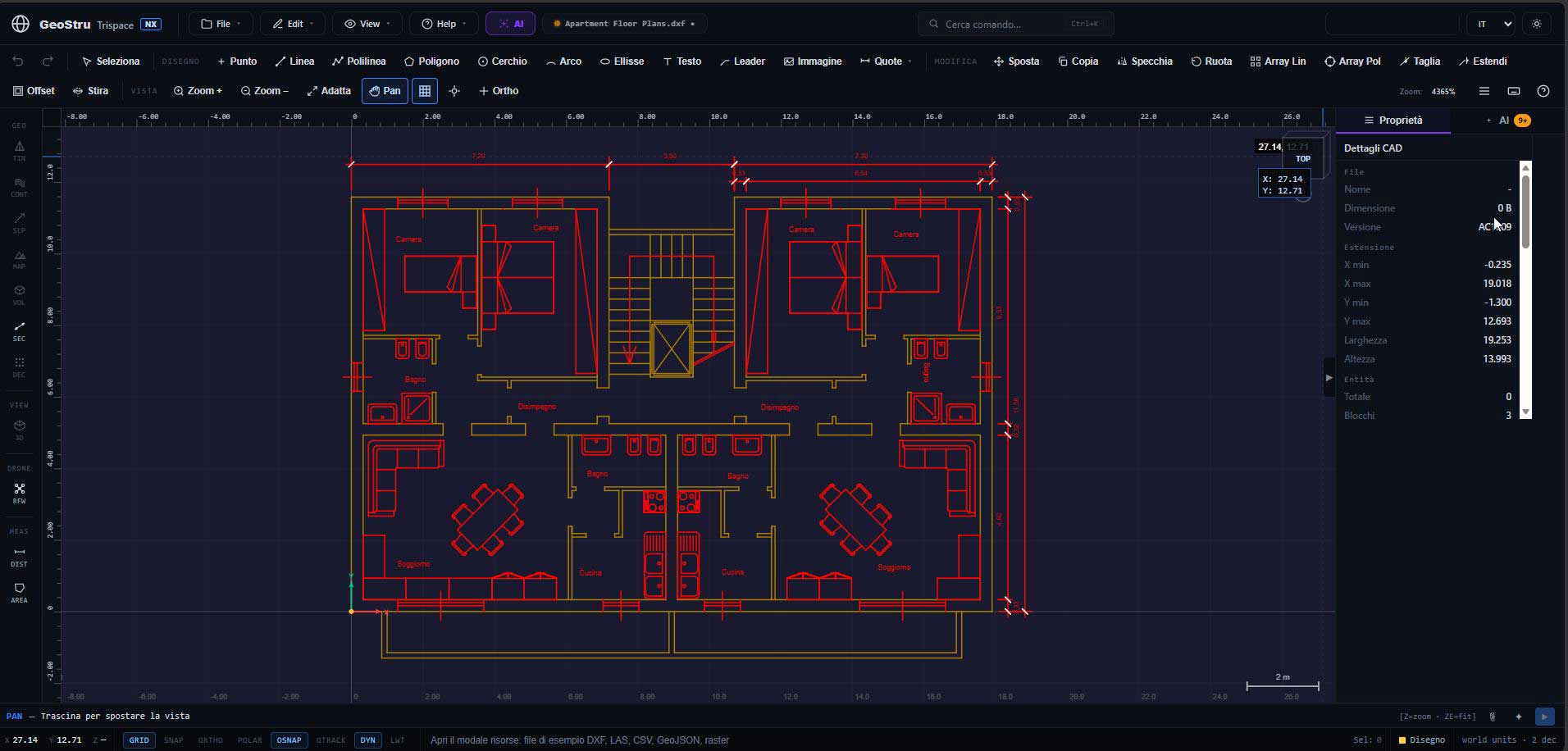
Trispace NX works entirely from your browser: forget about installations or hardware-specific licenses. You can draw directly on the web, importing and exporting your files in standard DXF and DWG formats. The platform offers all the classic features of a desktop CAD, including comprehensive drawing and editing tools, standard layer and block management, and an advanced "snap engine" with a visual marker for ultra-high precision.
|
|
|
|
| |
Advanced topographic processing
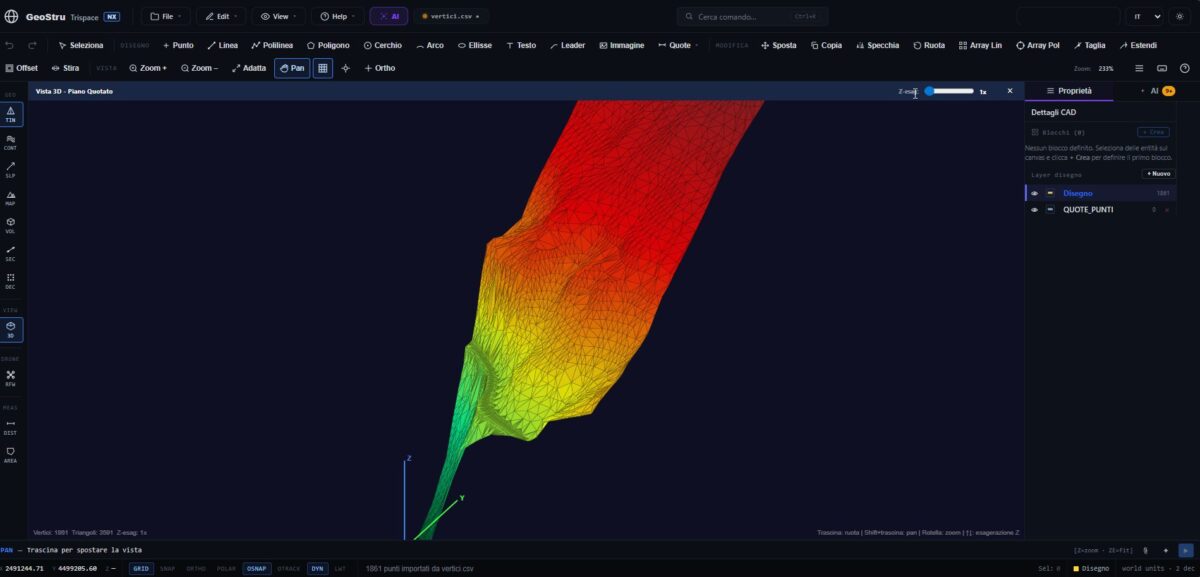
Compared to standard CAD software, Trispace NX stands out for its integrated processing of topographic data. Through a guided wizard, you can import point clouds obtained from drones, laser scanners, or Matterport systems. In just a few moments, you can: - Generate a digital terrain model (DTM) mesh with a single click.
- Activate contour lines (automatic or manual) and display a slope map colored by inclination angle, which is highly useful for hydrogeological risk assessment plans.
- Draw and extract topographic cross-sections, exportable in just two clicks.
- Perform precise earthwork metric calculations, determining exact cut and fill volumes.
|
|
|
|
| |
Raster map management and alignment
By uploading an orthophoto or a scanned map, you can quickly calibrate it to real metric coordinates by entering latitude and longitude. Furthermore, the application solves one of the most frequent problems for field operators: aligning local point clouds to georeferenced orthophotos. Using the "Helmert" method, by identifying two or three corresponding points, the algorithm simultaneously calculates the correct scale, rotation, and translation.
|
|
|
|
| |
Artificial Intelligence at the professional's service
Trispace NX adopts specific AI solutions for your daily work: - From sketch to CAD: By uploading a photo of a hand-drawn floor plan, the Vision module recognizes walls, doors, and dimensions, generating real metric-scaled polylines on a dedicated layer in about 10 seconds.
- Natural language commands: Thanks to tool-calling, there's no need to learn complex macros; the AI bar allows you to manipulate project entities and launch algorithms (e.g., triangulation or cross-section extraction) using simple conversational phrases.
|
|
|
|
| |
Full integration and the GeoStru ecosystem
All your work (mesh, layers, blocks, rasters) is conveniently saved in a single .cadproj project file, making it very easy to share with colleagues and protected by continuous automatic background saves in the browser. Trispace NX acts as a front-end for the entire GeoStru suite, allowing you to export, for example, geomechanical material data as a CSV to GEOROCK 3D for in-depth analysis.
|
|
|
|
| |
To start working right away without installing any files, visit
www.geostru.ai
|
|
|
|